Pinterest Scheduling: Manual vs. Automated for Small Shops
Manual pinning vs. automated scheduling for small businesses. Compare the pros, cons, and costs to find the right Pinterest workflow for your shop.
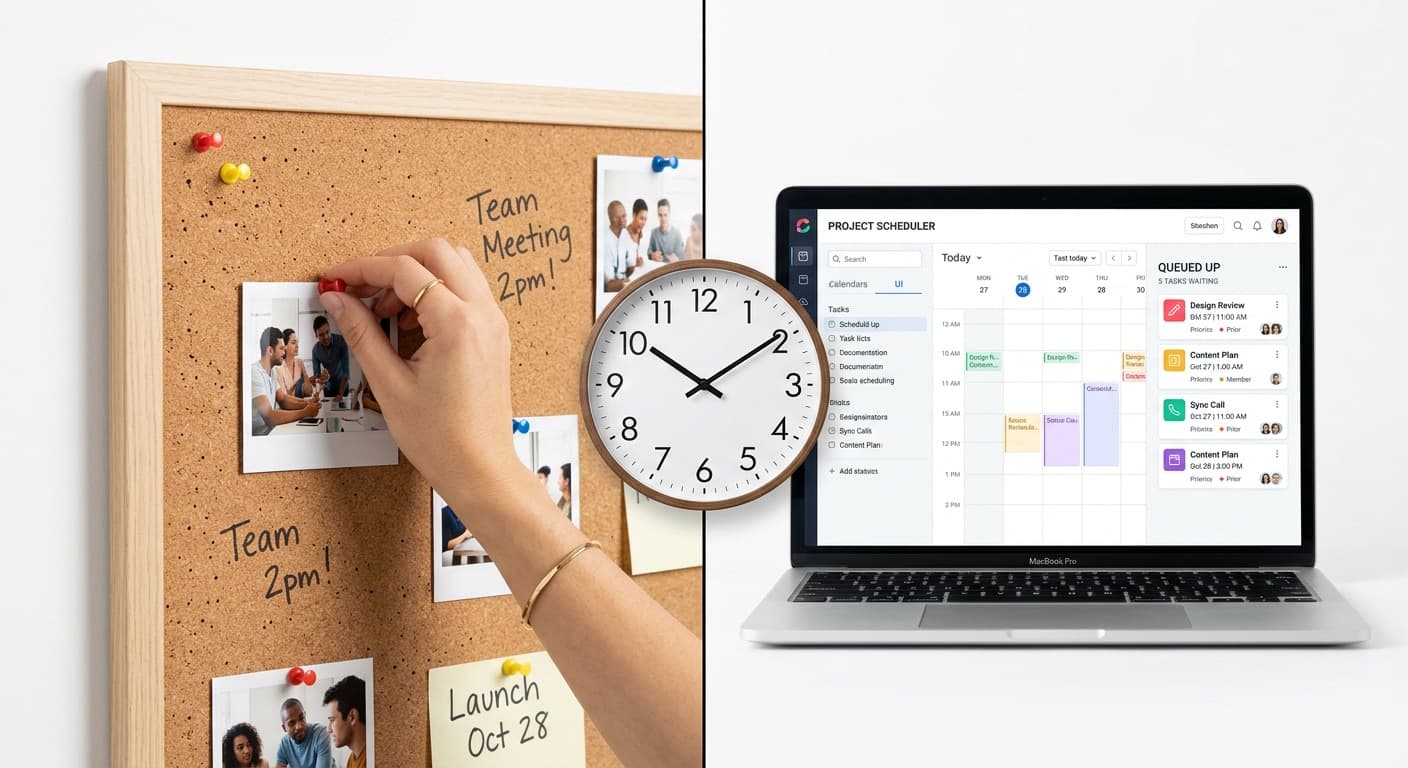
Pinterest Scheduling: Manual vs. Automated for Small Shops
When you are running a small Etsy shop, every hour matters. You are already making products, photographing them, writing listings, packing orders, and answering customer messages. Adding "post to Pinterest" to your daily to-do list can feel like one task too many.
That is exactly where the manual-versus-automated scheduling question comes in. Both approaches work, but they work differently depending on your situation.
Manual Pinning: The Hands-On Approach
Manual pinning means opening Pinterest, uploading your image, writing a description, choosing a board, and hitting publish. You do this every time you want to post a pin.
The advantages are real:
- Zero cost. Pinterest is free, and so is posting to it manually.
- Full creative control. You see exactly what goes up, when, and where.
- Personal engagement. While you are on the platform, you can browse, engage with others' content, and stay current with trends.
- No learning curve. If you can use Pinterest as a consumer, you can pin manually.
But the downsides are significant:
- Time-consuming. Creating and posting even 3 pins takes 15-20 minutes once you factor in writing descriptions, selecting boards, and uploading. Do that daily and you are looking at 2+ hours per week.
- Inconsistency. Life happens. Orders spike, you get sick, you take a vacation. Manual pinning only works when you are actively doing it.
- No optimal timing. Unless you are checking your analytics and setting alarms, you are probably posting when it is convenient for you rather than when your audience is most active.
- No bird's-eye view. It is hard to see your content calendar and spot gaps when you are posting one pin at a time.
Automated Scheduling: The Systems Approach
Automated scheduling means using a tool to plan your pins in advance. You batch-create your content, load it into the scheduler, set your dates and times, and the tool publishes on your behalf.
The advantages compound over time:
- Consistency without willpower. Your pins go out whether you are at your desk, at a craft fair, or on vacation.
- Time savings. Batch-creating 20 pins in one sitting is dramatically faster than posting them one at a time over four days.
- Optimal timing. Scheduling tools let you set posting times based on when your audience is active, not when you happen to be free.
- Calendar visibility. See your entire month at a glance. Spot gaps, avoid duplicate content, and plan for seasonal pushes.
- Analytics in one place. Most schedulers track performance, so you can see which pins drive clicks and which fall flat.
The trade-offs are manageable:
- Monthly cost. Scheduling tools range from $10 to $30 per month for the features most Etsy sellers need.
- Initial setup time. There is a learning curve. Connecting your account, understanding the interface, and building your first batch takes an afternoon.
- Less spontaneity. When everything is pre-scheduled, you might miss opportunities to capitalize on trending topics in real time.
When to Make the Switch
Manual pinning makes sense when you are just starting out. If you have fewer than 20 products and you are still figuring out what works on Pinterest, there is value in doing it by hand. You learn the platform, you see what resonates, and you build an intuition for good pin design.
Consider switching to automated scheduling when:
- You have at least 15-20 products to promote
- You are consistently missing days because you forget or run out of time
- You have identified a pinning frequency that works (say 3-5 pins per day) but struggle to maintain it
- You are spending more than 30 minutes per day on Pinterest tasks
- You want to plan ahead for seasonal content
For most Etsy sellers, the tipping point comes around 3-6 months into active pinning. By then, you know what works, you have enough products to create variety, and the time savings of batching and scheduling become obvious.
What to Look for in a Scheduling Tool
Not all schedulers are built the same. As an Etsy seller, here is what actually matters:
- Pinterest-first design. Tools built for Pinterest understand pin formats, board organization, and the platform's best practices. Generic social media schedulers often treat Pinterest as an afterthought.
- Visual calendar. You need to see your content laid out by day and week. A list view is not enough when you are trying to spot gaps or avoid posting similar products back to back.
- Board management. The tool should make it easy to assign pins to the right boards without extra clicks.
- Bulk upload. If you cannot upload 10-20 images at once and schedule them in a single session, the tool is not saving you much time.
- AI-assisted captions. Writing keyword-rich descriptions for every pin is tedious. Tools that suggest or generate descriptions based on your product and niche cut your content creation time significantly.
The Cost-Benefit Math
Here is a simple calculation. If automated scheduling saves you 5 hours per month (a conservative estimate for someone posting 3-5 pins daily), and your time is worth even $20 per hour, that is $100 in time savings against a $15-25 monthly tool cost.
The math gets even better when you factor in consistency. An automated schedule that posts every day for 6 months straight will generate more impressions, saves, and clicks than manual pinning with inevitable gaps. That additional traffic translates directly into Etsy views and sales.
A Practical Middle Ground
You do not have to go all-in on automation overnight. A reasonable transition looks like this:
- Week 1-2: Sign up for a scheduler. Connect your Pinterest account. Learn the interface.
- Week 3-4: Schedule half your pins in advance. Post the other half manually.
- Month 2: Move to scheduling 80-90% of your content. Keep manual pinning for real-time trends or new product launches.
- Month 3 onward: Schedule everything. Check analytics weekly. Adjust your strategy monthly.
Choose the Approach That Keeps You Consistent
The best Pinterest strategy is the one you actually execute. If manual pinning keeps you consistent and engaged, keep doing it. But if you are finding that Pinterest falls off your priority list more weeks than not, automation is not a luxury -- it is a necessity.
PetalBoard is built specifically for Etsy sellers who want to schedule smarter. Visual calendar, bulk uploads, AI-powered captions, and board management designed for product-based businesses. Try it free and see how much time you get back.