Using Pinterest to Sell Digital Downloads from Etsy
How to use Pinterest to sell digital downloads on Etsy. Mockup strategies, seasonal pins, and keywords that drive traffic to planners, printables, and SVGs.
Using Pinterest to Sell Digital Downloads from Etsy
Digital downloads are one of the fastest-growing categories on Etsy, and Pinterest is arguably the single best marketing channel for them. The combination is powerful: digital products have no inventory limits, no shipping costs, and infinite margin on every additional sale. Pinterest provides a steady stream of buyers who are actively searching for exactly the kind of content digital sellers create.
If you sell planners, printables, templates, SVGs, wall art, or any other digital product, here is how to make Pinterest your primary traffic driver.
Why Pinterest and Digital Downloads Are a Perfect Match
Pinterest users are planners and organizers by nature. They search for templates, printables, and digital tools as part of their planning process. Someone searching for "weekly meal planner printable" or "wedding timeline template" is not casually browsing -- they are ready to download or buy.
Digital downloads also solve a common Pinterest challenge: the gap between saving a pin and making a purchase. Physical products require shipping time and higher price consideration. Digital products offer instant gratification. Someone saves your pin, clicks through, and can be using your product within minutes.
Mockup Pins That Actually Convert
The biggest challenge for digital sellers on Pinterest is showing an intangible product in a tangible way. You cannot photograph a PDF the way you photograph a handmade mug. That is where mockups become essential.
Mockups that work:
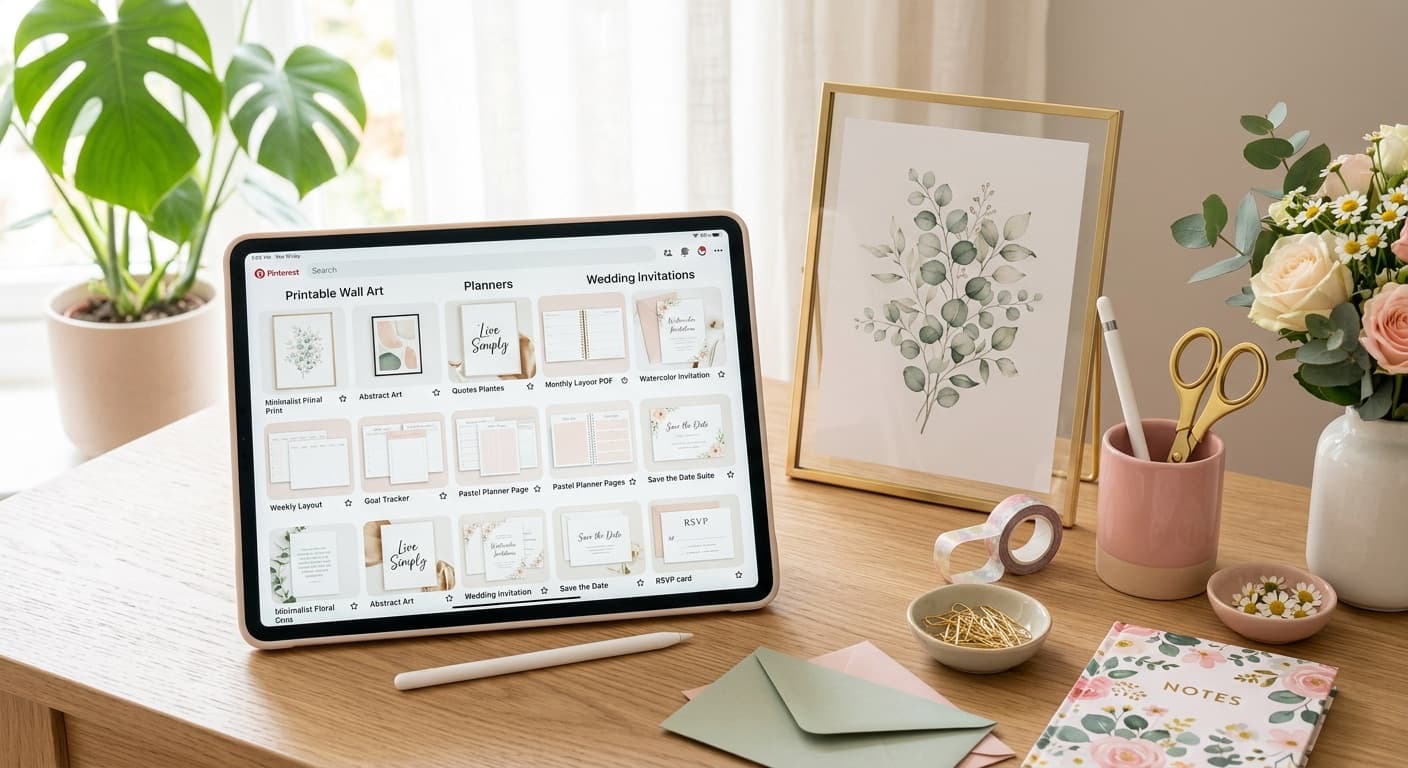
- Device mockups. Show your digital planner on an iPad screen, your social media templates on a phone, or your spreadsheet on a laptop. This immediately communicates "digital product" and shows the product in its natural context.
- Printed and styled. For printables and wall art, show the item printed and placed in a real environment. A budget tracker on a clipboard next to a cup of coffee. Wall art in a frame on a styled shelf.
- Flat lays with props. Arrange printed pages of your planner or worksheet on a desk with pens, sticky notes, and other accessories. This gives the viewer a sense of scale and use.
- In-use shots. Show a hand holding the printed checklist, filling out the planner page, or using the template. Action creates engagement.
Mockups that fall flat:
- A flat screenshot of the PDF with no context
- A single image on a white background with no styling
- Blurry or pixelated previews
Invest the time to create 3-5 strong mockup images for each product. Those images will serve as your Pinterest content for months.
Showing the Product in Use
Beyond mockups, the most effective digital product pins show the outcome of using the product, not just the product itself.
Selling a budget spreadsheet? Show a pin titled "How I Saved $5,000 This Year" with your spreadsheet visible in the background. Selling a wedding planning checklist? Show a beautifully organized wedding binder with your checklist pages inside.
This approach works because it sells the transformation, not the tool. Pinterest users save pins that promise a result they want. Your product is the vehicle, but the result is what stops the scroll.
Seasonal Pin Strategies for Digital Products
Digital products have a significant seasonal advantage: you can create seasonal variations of your core products and pin them ahead of the demand curve.
Seasonal opportunities by product type:
- Planners and organizers: New year planning (pin in October), back-to-school (pin in June), wedding planning season (pin in December/January)
- Wall art and printables: Holiday decor for every major holiday, seasonal quote prints, event-specific designs
- SVGs and craft files: Holiday crafting projects, seasonal t-shirt designs, back-to-school craft ideas
- Templates: Tax season prep (pin in December), graduation announcements (pin in March), holiday card templates (pin in September)
- Educational printables: Back-to-school worksheets, summer activity packets, homeschool curriculum planning
Create pins for seasonal products 90 days before the event and let Pinterest's algorithm do the distribution work over time.
Keywords That Work for Digital Downloads
Digital download searches on Pinterest tend to be very specific and action-oriented. These searchers know what they want.
High-intent keyword patterns:
- "[Product type] + printable" -- "budget tracker printable," "meal plan printable"
- "[Product type] + template" -- "Instagram story template," "resume template"
- "[Product type] + digital download" -- "wall art digital download," "planner digital download"
- "Free + [product type]" -- use this strategically (see below)
- "[Occasion] + [product type]" -- "baby shower games printable," "wedding timeline template"
Use Pinterest's search suggestions to find exact phrases. Type the beginning of your keyword into the search bar and note every suggestion -- those are real searches from real users.
The Free vs. Paid Preview Strategy
Offering a free sample or lite version of your digital product is one of the most effective Pinterest strategies for digital sellers. Here is how to structure it.
Create a free version of one of your products -- a single page from a planner, a sample template, a mini version of your full product. Gate it behind an email signup on your website or offer it as a free Etsy download.
Pin the free version aggressively. Pins promoting free content get significantly more saves and clicks than paid product pins. The word "free" in a pin description dramatically increases engagement.
Use the free product as a funnel. Once someone downloads your free sample and sees the quality, they are far more likely to purchase the full version. Include a link to the paid product inside the free download itself.
This strategy builds your email list, generates social proof through download counts, and creates a pipeline of warm leads who already trust your product quality.
Pin Description Formula for Digital Products
Every pin description for a digital product should include:
- What it is: "A 12-month budget tracking spreadsheet..."
- What it does for them: "...that helps you see exactly where your money goes each month."
- Format/delivery details: "Instant digital download. Works with Google Sheets and Excel."
- Keywords: Weave in 2-3 search terms naturally.
Example: "Track your monthly spending with this printable budget planner. Includes expense categories, savings goals, and a year-at-a-glance summary. Instant download -- print at home and start organizing your finances today. Perfect for beginners who want a simple budget tracker."
Start Driving Traffic to Your Digital Products
Digital downloads on Etsy have incredible profit margins, but only if people can find them. Pinterest puts your products in front of buyers who are actively searching. The sellers who win are the ones who create strong mockups, target specific keywords, and show up consistently.
PetalBoard makes it easy to schedule weeks of Pinterest content in one sitting. Batch-upload your mockup images, let AI generate keyword-rich descriptions, and keep your pins going out daily while you focus on creating your next product. Start free at petalboard.com.