AI Pin Generator for Etsy: How It Works
How AI pin generators work for Etsy sellers. Upload product photos, get Pinterest-ready images. Real quality comparison vs manual Canva design.
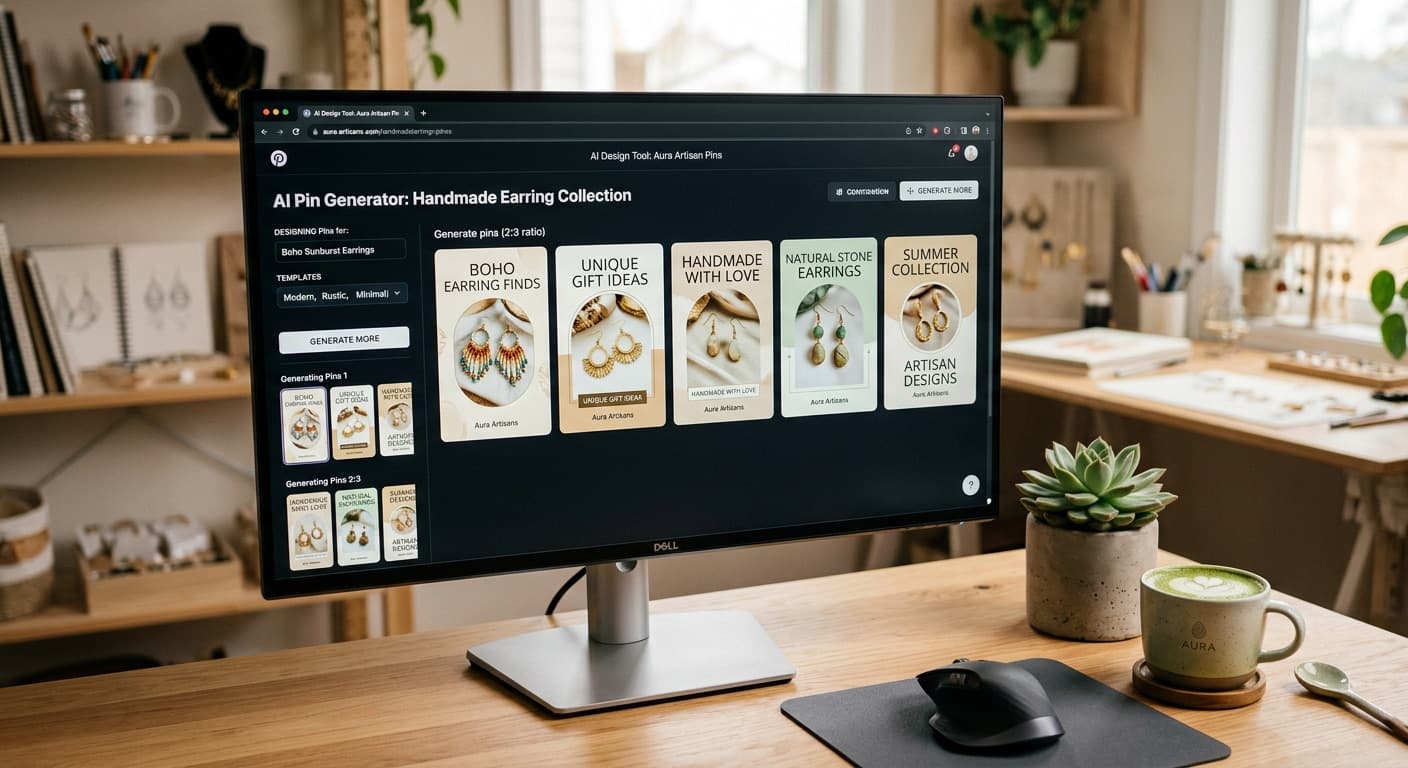
AI Pin Generator for Etsy: How It Works
There's a moment every Etsy seller hits where they realize that creating Pinterest pins manually isn't scaling. You're making beautiful products, photographing them, listing them on Etsy, and then spending another hour per product creating pin-worthy images in Canva. Multiply that by 50 products and a recommendation to create 3-5 pin variations each, and you're staring at hundreds of hours of design work.
AI pin generation changes that equation. But like most AI tools, the reality is more nuanced than the marketing. Here's an honest look at what AI pin generators actually do, how well they work, and where they fall short.
What AI Pin Generation Actually Is
At its simplest, an AI pin generator takes your product photo and creates Pinterest-optimized image variations. "Pinterest-optimized" means:
- 2:3 vertical aspect ratio (1000x1500 pixels is the standard)
- Attention-grabbing composition that works in a feed of competing pins
- Context added around your product (lifestyle settings, backgrounds, text overlays)
- Visual variety so you can post multiple pins of the same product without repetition
The AI doesn't just resize your photo. It analyzes what's in the image, understands the product category, and generates new compositions that put your product in context. A photo of earrings on a white background might become earrings styled on a marble vanity with soft morning light. A flat-lay of a candle might become that same candle on a cozy reading nook shelf.
The underlying technology typically combines vision models (to understand what's in your photo) with image generation models (to create new compositions). The best implementations also layer in brand context, so the generated images match your aesthetic rather than producing generic stock-photo vibes.
How the Process Works
The typical workflow is straightforward:
1. Upload Your Product Photo
Start with the best product photo you have. The AI works better with clean, well-lit images where the product is the clear subject. Your Etsy listing photos are usually perfect for this.
2. AI Analyzes the Image
The vision model identifies what's in the photo: product type, colors, materials, style, composition. For a hand-thrown ceramic mug, it might identify "stoneware mug, earth tones, speckled glaze, rustic aesthetic, studio pottery." This analysis drives the generation step.
3. Generate Pin Variations
Based on the analysis and your brand profile, the AI generates multiple pin variations. These might include:
- Lifestyle context: Your product placed in a realistic setting
- Text overlay designs: Title cards with your product name or a selling point
- Seasonal variations: The same product styled for different seasons or occasions
- Different compositions: Close-up vs full scene, centered vs rule-of-thirds
You typically get 3-6 variations to choose from per generation.
4. Review and Select
This is the critical human step. You look at the generated images, pick the ones that accurately represent your product, and discard any that miss the mark. More on why this step matters below.
Quality: AI vs Manual Canva Work
Let's be direct about quality, because this is where most AI tool marketing gets dishonest.
Where AI pins match or beat manual work:
- Speed. Generating 4 pin variations takes 30-60 seconds. Designing 4 pins in Canva takes 45-60 minutes. Even if you spend 5 minutes reviewing and tweaking AI output, you're 10x faster.
- Variety. AI generates compositions you might not have thought of. It's easy to fall into template ruts with manual design. AI explores a wider creative space.
- Consistency. Once your brand profile is set up, AI maintains your style across all pins. Manual design depends on your discipline and how tired you are at 11 PM.
- Pinterest optimization. AI trained on Pinterest performance data knows what compositions, text placements, and color contrasts drive engagement. Most Etsy sellers designing manually are guessing.
Where manual Canva work wins:
- Pixel-perfect control. If you need exact text placement, specific font pairing, or precise color matching, manual design gives you complete control.
- Complex compositions. Multi-product collages, infographic-style pins, and pins with detailed text layouts are still better done manually.
- Brand-specific elements. If your brand has very specific design elements (a particular illustration style, hand-drawn borders, custom icons), AI won't replicate those unless trained specifically on your assets.
- Emotional precision. Sometimes you know exactly what feeling you want a pin to evoke, and directing an AI to hit that exact note takes more effort than just designing it yourself.
The honest assessment: AI-generated pins are good enough for 70-80% of your Pinterest content. The remaining 20-30% — hero pins for product launches, seasonal campaigns, or brand-defining visuals — are worth the manual design time. The smart play is using AI for volume and manual design for showcase pieces.
Limitations You Should Know About
AI pin generation is not magic. Here are the real limitations:
Product accuracy can drift. The AI might change small details of your product. A ring with three stones might become four. A pattern might shift slightly. A color might warm up or cool down. You must review every generated image against your actual product. Never publish an AI pin without checking that the product looks right.
Text generation is imperfect. If the AI adds text to your pin, it might have spelling issues or awkward line breaks. Some generators handle text well; others struggle. Always read any text on generated pins carefully.
Style matching takes iteration. Your first batch of AI-generated pins probably won't nail your brand aesthetic perfectly. It takes a few rounds of selecting what you like and rejecting what you don't for the system to dial in your preferences.
Not all products work equally well. Products with clean, distinct shapes (jewelry, ceramics, clothing) generate well. Products that are very detailed (intricate embroidery, complex mixed-media art) or very similar to each other (variations of the same print) can give the AI trouble.
You need good source photos. Garbage in, garbage out. A dark, blurry product photo won't produce good AI pins any more than it would produce a good Canva design. Invest in decent product photography first.
How PetalBoard's Image Playground Works
PetalBoard takes the AI pin generation concept and ties it directly to your Etsy shop context. When you upload a product photo, the system already knows your brand palette, your target audience, your product niche, and your preferred aesthetic from your shop import and brand profile setup.
The Image Playground lets you generate pin variations with prompts that are pre-personalized. Instead of writing generic prompts, you get suggestions based on your actual products and brand. A vintage jewelry seller gets different composition suggestions than a modern home decor seller.
You can also tweak the AI prompts directly if you want more control, adjusting the mood, background setting, or composition style before generating. Once you have pins you like, they flow directly into the visual planner for scheduling.
When AI Generation Makes Sense vs Manual Design
Use AI generation when:
- You're creating volume pins (the 15-25 pins per week that drive consistent traffic)
- You're repinning existing products in new styles
- You're creating seasonal variations of evergreen products
- You need to populate boards quickly for a new account or new product line
- You're testing which visual styles perform best (AI lets you test more variations faster)
Design manually when:
- You're launching a new product and want the pin to be perfect
- You're creating a brand campaign with a specific creative direction
- Your product has details that AI might alter
- You're making infographic or educational pins
- You need exact text layout with specific copy
The most effective strategy combines both: AI for your everyday pinning volume, manual design for your highest-stakes content. This gives you the consistency that Pinterest rewards while maintaining the quality that builds your brand.
The Bottom Line
AI pin generation is a genuine time-saver for Etsy sellers, not a gimmick. But it's a tool, not a replacement for taste and judgment. The sellers who get the most from it are the ones who invest 15 minutes upfront in their brand profile, review every generated image critically, and use AI to handle volume while they focus on strategy.
The question isn't whether AI pins are as good as your best manual work. They're probably not. The question is whether AI pins are good enough to post consistently while freeing up hours for the work that actually grows your business. For most Etsy sellers, the answer is yes.
See AI pin generation in action with your own products. PetalBoard's Image Playground generates Pinterest-ready pins from your Etsy product photos. Try it free and decide for yourself.